Custom Update Server
Newer versions of the 4Matrix Network Manager (3.7.4.0 onwards, March 17) support the use of a custom update server. This allows you to bypass the default setting in which 4Matrix will look to our website in order to check for updates. It will look to a path on your network instead. Although we do not recommend this approach due to the potential delay in clients receiving important fixes, you may need to utilise this option if you experience problems with your proxy server preventing updates, or if you would simply like to have more control over when the updates are available to clients.
The options for the Update Server are found on the main Network Manager screen:
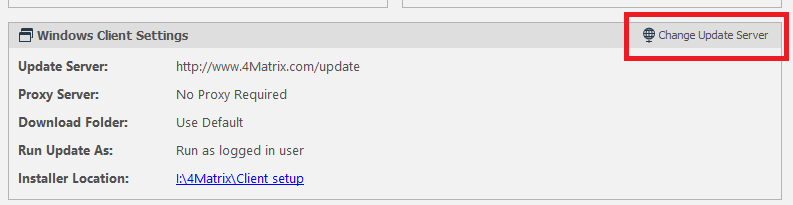
First of all, click Change Update Server. A dialogue will appear with the default setting:
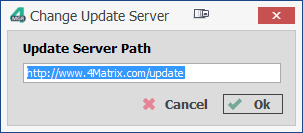
Replace this with a path of your choice, for example, C:\4Matrix\CustomUpdate. Click OK.
An additional button will now appear - Refresh Update Server -click this and see if it detects any updates:
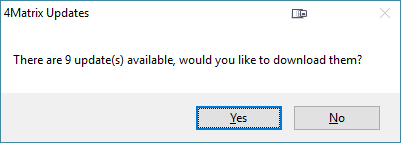
Wait for the updates to download and then go to the custom folder;
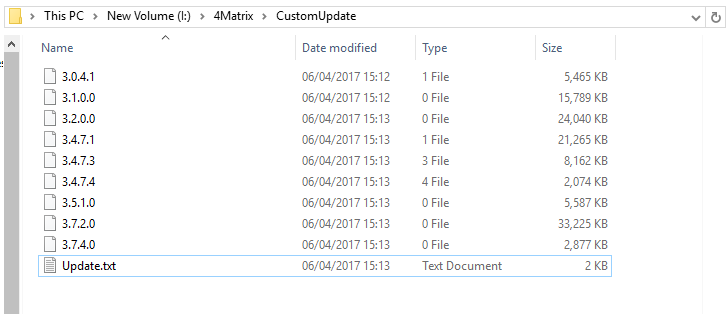
It may appear as if there are versions missing, this is because some versions are bundled with others.
When the 4Matrix client application launches it checks the version number in the Update.txt file in your custom folder. If it detects a higher version than is currently in use in the .txt file then the update process will begin.
Use the Refresh Update Server option when an update is available and you are ready to add it to this folder for clients to use. Potentially, this can allow for a set time(s) each term for when updates are applied, although we do not recommend this approach due to the significance of fixes and enhancements.
We recommend adding a Newsletter contact email address to your account at www.4matrix.com. We will use this to notify the contact when an update is available and include a changes list. It is possible to add more than one contact to this list using the Plus button next to the first field. We will not use the email address(es) for any other purpose other than to notify the user of updates and important information relating to 4Matrix, such as Results Day preparation information. For help with update issues, please go to http://www.4matrix.com/help/update_help.pdf